



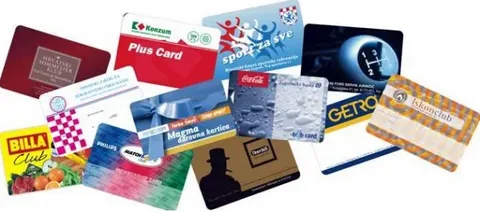
Hold two gift cards side by side, and the difference is often obvious. One shows rich color right to the edge with a smooth, glossy surface, while the other has a thin white border and colors that have already started to fade. Both are plastic, but they were produced in very different ways. Printing on plastic cards relies on methods built for smooth, non-porous PVC rather than paper. The method chosen affects print quality, durability, cost, and the features a card can carry. Understanding the main options helps businesses order cards that look professional and last.
Why Plastic Cards Need Special Printing Methods
Plastic cards behave very differently from paper on a press. PVC is smooth and non-porous, which means regular paper inks cannot soak in and bond with the surface.
Cards also face far more wear than most printed items. They bend in wallets, slide through card readers, and rub against keys and coins for months or years. Plastic card printing methods use specialized inks, heat, or protective layers to keep designs sharp through that daily handling.
Primary Methods for Printing on Plastic Cards
Several printing methods dominate the plastic card industry. Some suit large production runs, while others work best for small batches or single cards printed on demand.
Offset Printing
Offset printing is the standard choice for large runs of identical card designs. In this method, the inked image on a printing plate is printed on a rubber cylinder and then transferred onto the card sheet.
Offset delivers sharp detail, smooth gradients, and accurate brand colors, including Pantone matches. Setup takes time, which makes the method most cost-effective for orders in the thousands.
Digital and UV Inkjet Printing
Digital printing sends artwork straight from a file to the press without plates. UV inkjet systems spray fine ink droplets onto the card and cure them instantly with ultraviolet light. This method suits short runs, quick turnarounds, and designs that change from card to card. Print quality has improved greatly, though offset can still hold a slight edge for very fine color matching.
Screen Printing
Screen printing pushes ink through a fine mesh stencil, one color at a time. The method is often used alongside offset for effects that need thick, bold ink layers, including:
- Solid spot colors
- Opaque white backgrounds
- Metallic and pearl inks
- Signature panel coatings
Screen-printed layers stand up well to wear and stay vivid. Many premium cards combine offset artwork with screen-printed accents.
Direct-to-Card Thermal Printing
Direct-to-card printers use a heated printhead and a color ribbon to transfer dye straight onto the card surface. These desktop machines are common in offices, schools, and gyms that print photo IDs one at a time.
The method is affordable and fast for small quantities. Printing usually stops just short of the edge, leaving a thin white border, and the image needs a protective overlay to resist scratches.
Retransfer Printing
Retransfer printing takes a two-step approach that produces higher quality than direct-to-card printing. The process follows this sequence:
- The printer prints the image onto a clear film.
- Heat bonds the printed film onto the card surface.
- The film layer protects the image beneath it.
Retransfer printing reaches the card edges and handles uneven surfaces such as smart cards. Cards also last longer because the film shields the ink from direct contact.
Personalization Methods Added After Printing
Base printing creates the design, while personalization adds the details that make individual cards unique. Common methods include:
- Thermal or inkjet numbering: Prints sequential numbers, names, or codes onto finished cards.
- Barcode printing: Adds scannable codes linked to the business’s POS system.
- Embossing: Raises numbers or letters from the card surface for a classic, tactile look.
- Laser engraving: Etches permanent text or images that resist tampering.
- Hot stamping and foil: Applies metallic logos, borders, or security marks with heat.
- Magnetic stripe encoding: Writes data onto the stripe for swipe-based systems.
Many card programs combine two or three of these methods. Gift cards, for example, often pair printed numbering with a barcode and an encoded magnetic stripe.
Finishes That Protect the Printed Design
Finishes protect the artwork and shape the look and feel of the card. The right finish keeps colors bright and surfaces smooth for the life of the card. Gloss lamination adds shine and deepens color, while matte and satin finishes reduce glare and feel softer in the hand. UV coatings add a hard, clear layer that resists scratches and fading.
Functional finishes serve practical purposes. Signature panels give cardholders a writable space on the back, and scratch-off panels hide PINs or promo codes until a customer reveals them.
Comparing Plastic Card Printing Methods
The main methods fall into two groups, based on order size and where the printing happens.
Offset, digital, and screen printing are production methods used by card companies. All three print edge-to-edge and suit loyalty, gift, and membership programs:
- Offset: Highest quality and lowest cost per card for large runs.
- Digital: Best for short and variable runs.
- Screen: Adds bold spot colors, opaque white, and metallic inks.
Direct-to-card and retransfer printing are desktop methods built for single cards and small batches. Direct-to-card is affordable and fast but usually leaves a thin white border, while retransfer reaches the card edges with sharper, longer-lasting results. Both fit photo IDs and premium cards printed on demand.
Choosing the Right Method for Your Card Program
The best method depends on volume, design, and the way the cards will be used. These pairings cover the most common needs:
- Offset printing for large loyalty or gift card runs
- Digital printing for short seasonal runs
- Direct-to-card printing for photo IDs printed in-house
- Retransfer printing for premium IDs and smart cards
- Offset with numbering and encoding for gift cards
- Offset with screen-printed accents for premium membership cards
Retransfer printers earn their quality advantage through a two-stage process, where the card design is printed in reverse on a transparent film before being transferred onto the card. Businesses ordering branded programs in bulk, however, usually get the strongest results from professional printing on plastic cards through a card company.
Method Match Guide
- Thousands of identical cards: Offset
- A few hundred seasonal cards: Digital
- One photo ID at a time: Direct-to-card
- Premium ID or smart card: Retransfer
- Metallic or white accents: Screen
Important FAQs
What is the best way to print on PVC cards?
The best method depends on volume. Offset printing gives the highest quality for large orders, digital printing suits short runs, and retransfer printing produces the sharpest results when cards are printed one at a time.
What is the difference between direct-to-card and retransfer printing?
Direct-to-card printing applies dye straight onto the card surface and usually leaves a thin white border. Retransfer printing prints onto a clear film first, then bonds the film to the card for edge-to-edge color and better durability.
Bottom Line
Printing on plastic cards combines the right base method, the right personalization, and the right finish. Offset and digital printing handle branded programs at scale, while direct-to-card and retransfer printers serve on-demand IDs. Choosing the method that fits the program leads to cards that look sharp, scan reliably, and last.
Sharp color, a durable finish, and the right card design all matter once a plastic card reaches the customer. DuraCard produces full-color PVC cards for loyalty, membership, gift, ID, and other business programs. Artwork can be uploaded directly or created through the online card designer, with an instant quote available before ordering. Businesses can review their card options and pricing at DuraCard before placing an order.
Read More: What To Look For When Choosing Card Manufacturers